> For the complete documentation index, see [llms.txt](https://help.evoshop.vn/llms.txt). Markdown versions of documentation pages are available by appending `.md` to page URLs; this page is available as [Markdown](https://help.evoshop.vn/don-hang-va-san-pham/van-chuyen/quan-ly-don-giao-hang/chinh-sua-don-hang.md).
# Chỉnh sửa đơn hàng
Bạn có thể thực hiện cập nhật thông tin cho từng đơn hàng đối với đơn có đơn vị vận chuyển là J\&T Express
Hoặc bạn có thể chỉnh sửa thông tin hàng loạt bằng cách
1. Tích chọn vào các đơn cần chỉnh sửa
2. Chọn Thao tác
3. Chọn Chỉnh sửa thông tin giao hàng
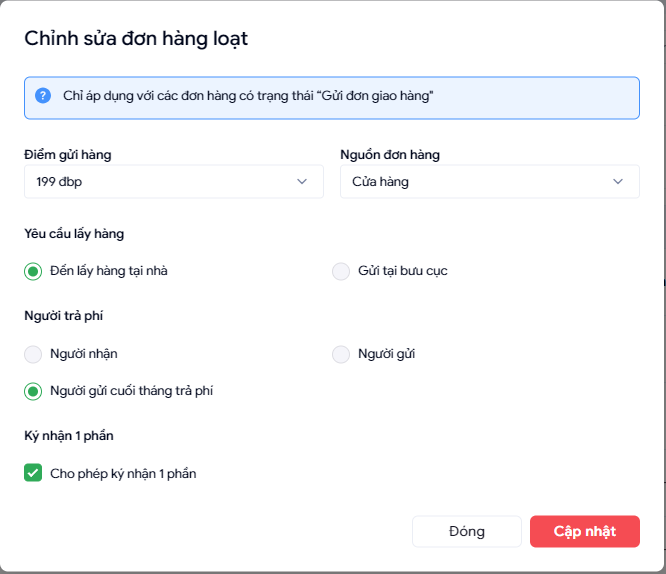
Popup Chỉnh sửa hàng loạt được hiển thị cho phép bạn chỉnh sửa được **điểm gửi hàng, nguồn đơn hàng, Yêu cầu lấy hàng, người trả phí và tích hoặc bỏ chọn ký nhận 1 phần**
Sau khi nhấn cập nhật thì evoshop sẽ trả về thống kê số lượng đơn thành công và thất bại